









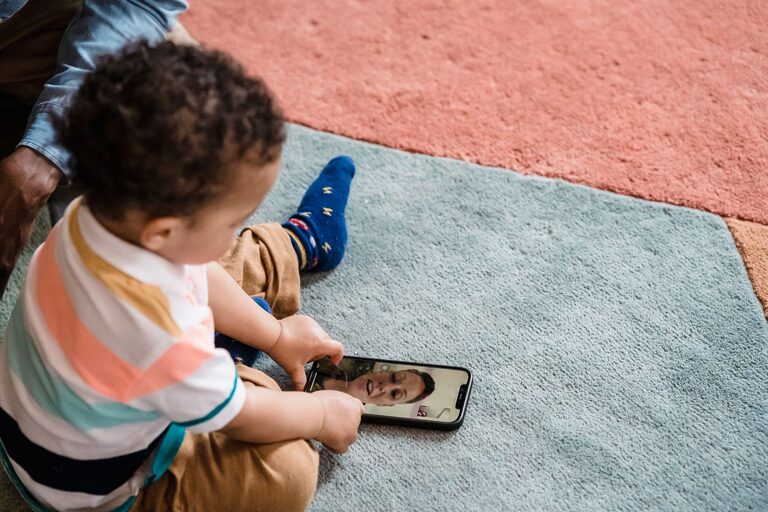
Video calls make it easier to stay close to family and friends, even when you live far apart or have busy schedules. A quick call can turn into a meaningful conversation, a shared celebration, or a simple way to feel less alone.
However, video calls do not always go smoothly. Poor lighting, background noise, weak internet connections, and awkward pauses can make the experience less enjoyable. With a little preparation, you can create calls that feel more natural, comfortable, and personal.
Choose the Right Time
A successful video call starts with good timing. Try to choose a time when both people can focus without feeling rushed.
Before scheduling a call, consider:
– Work, school, or other regular commitments
– Time zone differences
– Meal times and daily routines
– Energy levels, especially for older adults or young children
– Whether the person may need help setting up the call
For regular conversations, consider creating a simple schedule. A weekly Sunday call or a short midweek check-in can give everyone something to look forward to. Consistency can also make it easier to stay connected when life becomes busy.
It is still helpful to confirm before calling, especially if the conversation may take longer than a few minutes. A short message such as “Is now a good time for a video call?” shows consideration and helps avoid interruptions.
Prepare Your Device
A few quick checks can prevent common technical problems.
Before the call:
- Charge your phone, tablet, or computer.
- Check that the camera and microphone are working.
- Make sure the video calling app is updated.
- Test your internet connection if possible.
- Place the device on a stable surface.
- Keep headphones nearby in case of audio feedback.
If you are using a phone or tablet, avoid holding it for the entire conversation. Your arm may become tired, and the camera may shake. A stand, stack of books, or other stable support can keep the image steady.
It is also a good idea to learn a few basic controls before the call begins. Know how to mute your microphone, turn the camera on or off, switch between front and rear cameras, and end the call. These simple skills can make the conversation feel less stressful.
Improve Lighting and Camera Position
Good lighting can make a major difference in video quality. Try to face a window or place a lamp in front of you. Avoid sitting with a bright window directly behind you, as this can make your face appear dark.
Position the camera close to eye level. If the camera is too low, the angle may feel uncomfortable. If it is too high, the conversation may seem less natural. A raised laptop or a small stand can help create a better view.
You do not need a perfect background. A tidy, comfortable space is usually enough. If you want more privacy or fewer distractions, choose a plain wall or use the background options available in your video calling app.
Reduce Background Noise
Noise from televisions, fans, pets, traffic, and household activities can make it difficult to hear. Before the call, choose the quietest available room and close doors or windows if needed.
Helpful steps include:
– Turning off nearby televisions or music
– Moving away from loud appliances
– Using headphones with a built-in microphone
– Muting yourself when someone else is speaking
– Letting others nearby know that you are on a call
If noise is unavoidable, explain it briefly rather than becoming frustrated. A simple comment such as “There is some noise in the background, so I may mute myself” helps everyone understand what is happening.
Make the Conversation Feel Natural
Video calls can sometimes feel different from in-person conversations. People may talk over one another because of a slight delay, or they may not know when it is their turn to speak.
To make the exchange more comfortable, allow a short pause after the other person finishes talking. Use facial expressions and small gestures to show that you are listening. Nodding, smiling, and making eye contact with the camera can help the other person feel heard.
It is also useful to ask open-ended questions. Instead of asking, “Did you have a good day?” try:
– What was the best part of your day?
– What have you been working on?
– Is there anything you are looking forward to?
– What have you been watching, reading, or listening to?
– What is something that made you laugh recently?
These questions often lead to more engaging conversations than questions with one-word answers.
Plan Fun Activities
A video call does not have to be only a face-to-face conversation. Shared activities can make calls more enjoyable, especially when you speak regularly.
Try one of these ideas:
Share a Meal
Prepare the same type of meal, order from similar restaurants, or simply eat together while chatting. The activity creates a relaxed setting and gives you something to talk about.
Play a Simple Game
Choose an activity that works well online, such as trivia, word games, drawing games, or a card game supported by your video platform. Keep the rules simple so that the focus stays on spending time together.
Watch or Listen Together
Some platforms allow people to watch videos or listen to music at the same time. You can also count down and press play together. Discussing what you watched or heard can create a natural conversation.
Give a Tour
Show your loved one a new plant, a craft project, a favorite room, or a view from your window. Children may enjoy showing toys, drawings, or school projects.
Celebrate Special Moments
Use video calls for birthdays, holidays, graduations, and other milestones. Add decorations, prepare a favorite snack, or organize a short group toast to make the event feel more special.
Include Everyone in Group Calls
Group calls can bring several people together, but they may become confusing if everyone speaks at once. A few simple habits can make group conversations easier.
Choose one person to help guide the conversation when needed. Encourage participants to introduce themselves if someone new joins. If the group is large, use the mute feature when you are not speaking.
Try to involve quieter participants by asking for their thoughts directly. You might say, “We would love to hear how your week has been.” This helps prevent the conversation from being dominated by only one or two people.
For young children, keep group calls shorter and include an activity. For older relatives, make sure the screen is easy to see and the sound is clear.
Protect Your Privacy
Use trusted video calling apps and keep the software updated. Avoid sharing private information during a call if you are unsure who can access the conversation.
For group calls, check that you are sending the invitation only to the people you want to include. Be careful when sharing your screen, since notifications, personal messages, or other private content may appear.
If a call is recorded, everyone should understand that recording is taking place. Respecting each person’s comfort helps create a safer and more pleasant experience.
End on a Positive Note
Calls do not need to last for hours to be meaningful. A short, focused conversation can be just as valuable as a long one. When it is time to leave, mention something you enjoyed and suggest a possible time to talk again.
You might say, “It was great seeing you. Let’s try to call again next weekend.” A clear closing helps the call feel complete and gives both people another connection to look forward to.
With thoughtful timing, a little preparation, and a willingness to share everyday moments, video calls can become a regular part of staying close. The technology may connect the screens, but your attention, kindness, and genuine interest are what make the conversation matter.